Hotels and restaurants
Guest Wi-Fi and stays
Guests sign in with their room and surname or a code on their phone, and access ends at check-out.
Room login
- Open Business > Hotel settings and turn on Show the Room tab on the Wi-Fi page.
- Choose the Plan for hotel guests.
- Set how long the Wi-Fi keeps working after check-out.
The guest then enters their room number and surname on the Wi-Fi page.
Phone login
- Turn on Show the Phone tab on the Wi-Fi page.
- Choose a plan. This is usually a short free plan, such as 1 hour. Guests can log in again when it ends.
- Under Send codes by, choose SMS, WhatsApp, or let the guest choose. Either channel needs a message gateway.
Check guests in and out
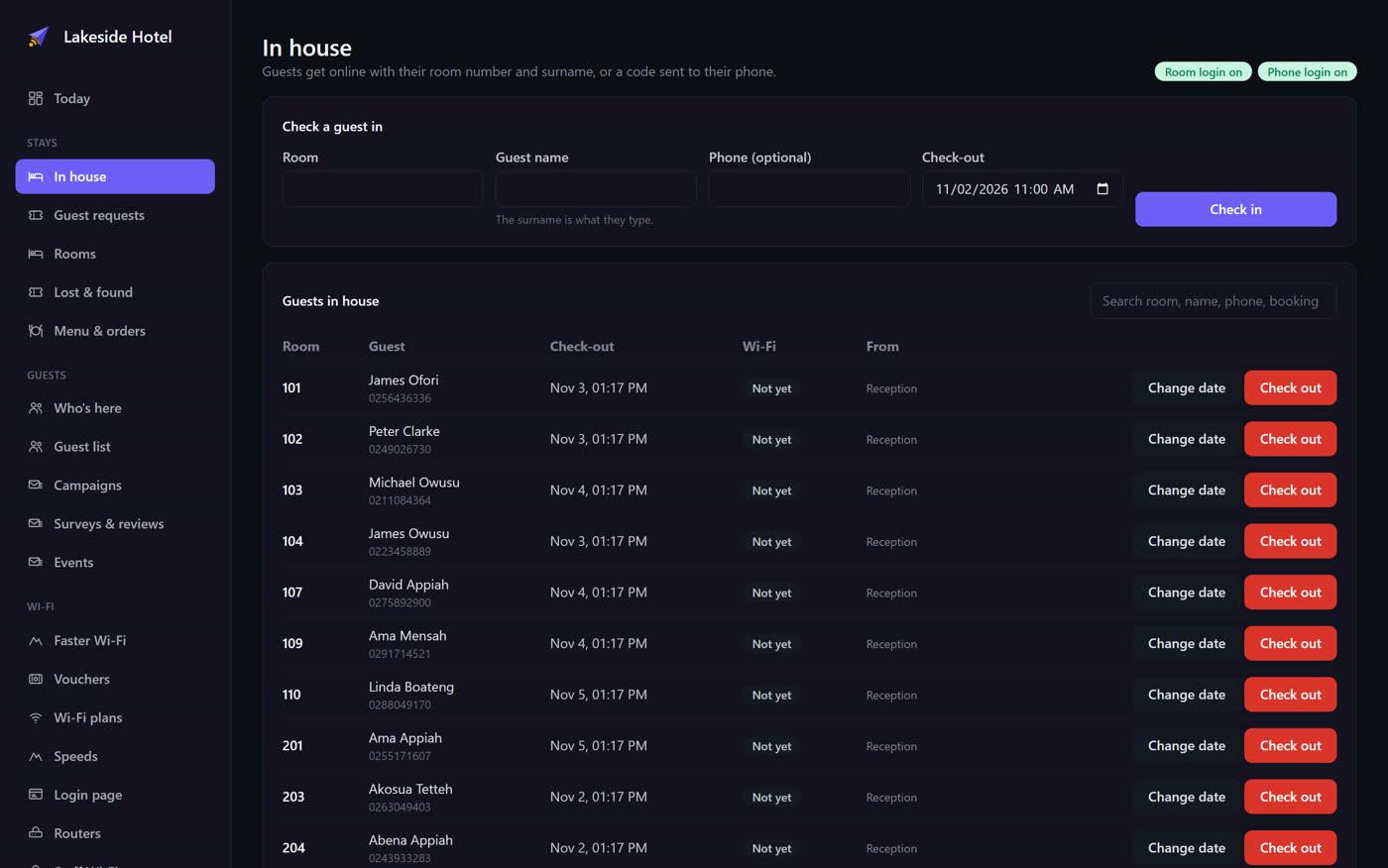
Open Stays > In house. Search by room, name, phone or booking.
- One guest: enter the room, guest name and check-out. The surname is what they type at login, and the phone number is optional.
- Many guests: paste one guest per line, as room, name, check-out and phone.
101,Ama Mensah,2026-11-02 11:00,+233244000000
102,John Smith,2026-11-03
After they connect
In Hotel settings, set a Welcome message and, if you want, a page to open next. If you leave the page empty, guests see their time and data left.
Sell faster Wi-Fi
Under Wi-Fi > Faster Wi-Fi, add an offer for a few hours or days. Guests can buy it, it goes on the room bill, and it switches on without them reconnecting. The page shows what's on room bills today and who has a boost.