ISPilot Bond
ISPilot Bond
Join several internet links at a site into one connection, with one public IP.
ISPilot Bond is in early access. Screens and packages may change. To join, use the Bond page.
How it works
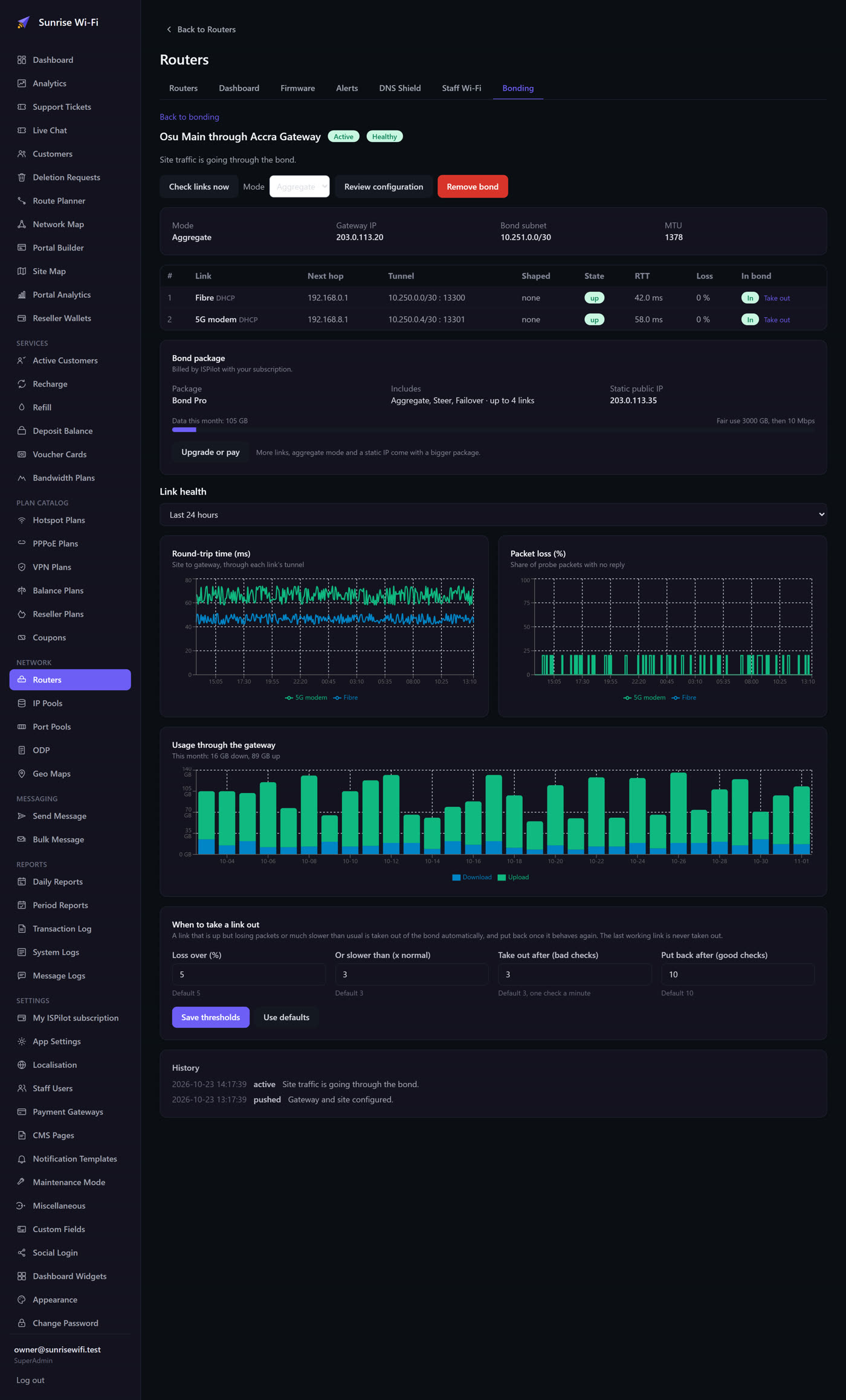
Each internet link at your site makes its own encrypted tunnel to a bond gateway, a MikroTik cloud router in a data centre. The gateway joins them and sends your traffic out from one public IP.
Choose a mode
| Mode | How it uses your links | Best for |
|---|---|---|
| Aggregate | One download can use every link at once. | Links similar in speed and latency, such as two fibre lines |
| Steer | Connections spread across links, with each one on a single link. | Any mix, including fibre with LTE |
| Failover | The main link carries everything until it fails. | Saving metered LTE data for emergencies |
Before you start
- A MikroTik router on RouterOS 7, with a port for each internet link.
- The router connected through the ISPilot VPN. Only VPN routers can be bonded, so ISPilot keeps reaching them when the bond takes over their internet route.
Create a bond
- On the Routers page, open the Bonding tab and start a new bond.
- Choose the site router and a gateway close to it.
- Tick the internet links to bond. ISPilot reads them from the router.
- Review the configuration. Nothing changes on any router until you push it.
- Push it, then watch the health of each link on the bond's page.
Traffic moves to the bond only once every tunnel answers. If ISPilot can't confirm that the site is online, the router rolls back by itself.
When something fails
- A link goes bad: it's taken out automatically and put back when it recovers.
- The gateway goes down: the site falls back to its own links, without the shared public IP, and returns to the bond when the gateway is back.
A moving connection can pause while traffic shifts to another link. Don't assume a live call or remote session will carry on without a break. Test it on your own links first.