Customers
Customers
Add the people who buy from you, put them on a plan and see their history.
Add a customer
Customers can sign themselves up on your portal, or you can add them yourself:
- Open Customers and select Add Customer.
- Enter a username and password. The customer logs in with these.
- Choose the service type. This decides whether they see Hotspot or PPPoE plans.
- Save, then put them on a plan.
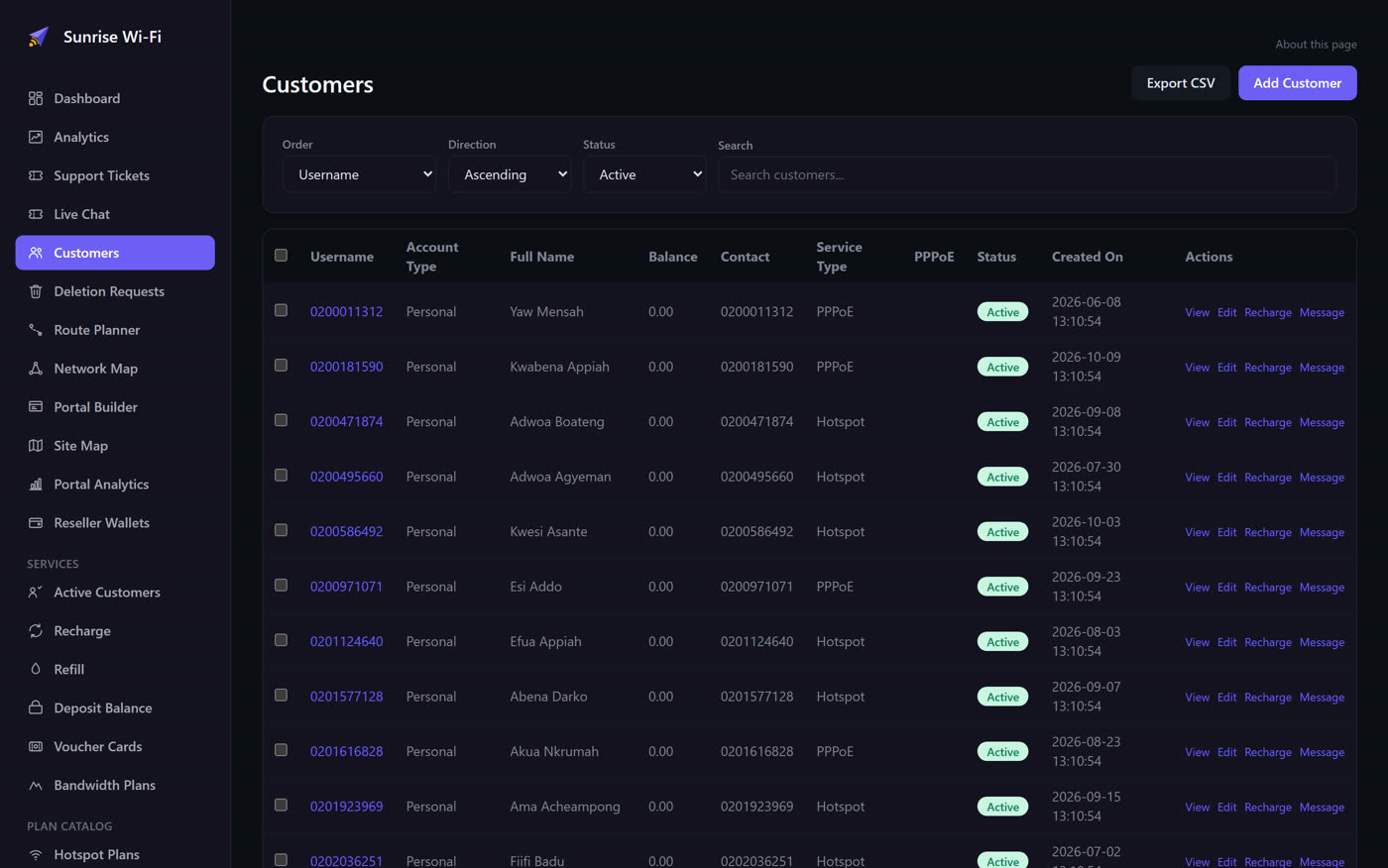
Your account starts with Sample customers. Give one a password to try a login, or delete them.
Put a customer on a plan
| When | Use | What happens |
|---|---|---|
| They paid you in cash | Recharge | Pick the customer, router and plan. The sale is recorded and the customer is switched on. |
| They have a voucher code | Refill | Pick the customer and type the code. |
| They want credit for later | Deposit Balance | Add to their wallet. They can then spend it on plans. |
See who is active
Active Customers lists every subscription: who is on what, and when it expires. Use it to renew someone, or open a row to extend, sync or deactivate that subscription.
Keep extra details
To record something such as an ID or house number, add it in Settings > Custom Fields. It then appears on the customer form.
Deletion requests
When a customer asks to export or delete their data, the request appears in Deletion Requests. Review and action each one.